Exploring the Future of AI Integrations
AI integrations are becoming the connective layer between everyday work, customer experiences, and business growth. The opportunity is not simply to add more AI tools, but to connect the right systems so information moves faster, teams make better decisions, and repetitive work becomes easier to manage. Whether you are evaluating AI platforms for the first time or looking to improve existing AI software, this page helps you see what a practical, future-ready integration strategy can look like.
What can AI integrations do for your business?
AI integrations can connect your existing apps, data, workflows, and customer touchpoints so they work together with less manual effort. Instead of asking teams to copy information between tools, search through disconnected systems, or repeat the same administrative tasks, AI automation can support faster handoffs and more consistent execution. The result is a more responsive operation where people stay focused on judgment, creativity, service, and strategy.
A useful AI integration does not need to replace everything you already use. In many cases, the better move is to connect your current systems with targeted AI solutions that solve specific bottlenecks. That might mean routing customer requests to the right team, summarizing sales notes, generating first drafts, flagging data patterns, or triggering follow-up actions based on defined rules.
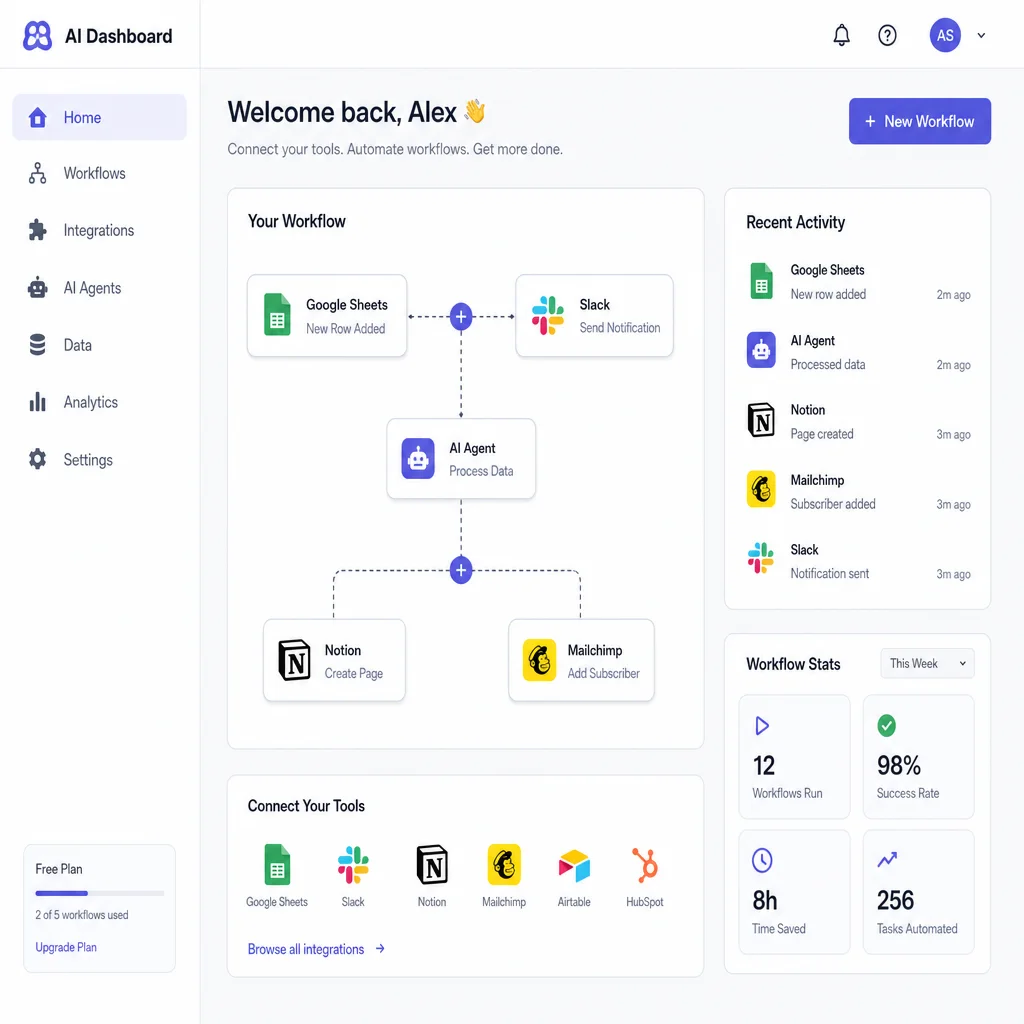
Connected AI technology turns isolated tools into smarter workflows
Many organizations already use several digital systems: a CRM, helpdesk, analytics platform, project management tool, marketing software, document storage, and communication apps. The problem is that each system often holds only part of the picture. AI technology becomes more valuable when it can work across these touchpoints rather than sit inside one disconnected product.
With the right integration approach, AI platforms can help collect context, interpret intent, recommend next steps, and trigger workflows across departments. A support team might receive a summarized customer history before responding. A sales team might get suggested follow-up language based on previous conversations. An operations team might identify recurring delays before they become a larger issue.
The future of AI software is not just more features. It is more useful coordination between the systems your teams already depend on.
Practical use cases for modern AI solutions
Strong AI integrations start with real business needs. The goal is to remove friction, reduce avoidable errors, and make important information easier to act on. The best use cases are specific enough to measure and simple enough for teams to understand.
Common integration opportunities include:
- Customer support workflows: Summarize tickets, suggest response categories, route urgent issues, and give agents clearer context before they reply.
- Sales and CRM updates: Capture meeting notes, identify next steps, draft follow-up messages, and reduce manual data entry.
- Marketing operations: Repurpose campaign ideas, organize audience insights, personalize content drafts, and connect campaign activity with reporting tools.
- Internal knowledge access: Help employees search policies, documents, process notes, and project information from one guided interface.
- Finance and admin tasks: Extract information from documents, categorize requests, prepare summaries, and notify the right people when review is needed.
- Project management: Turn conversations into tasks, summarize progress, highlight blockers, and keep stakeholders aligned without extra status meetings.
These examples show why AI automation works best when it supports a process rather than floating above it. A standalone tool may save time for one person, but an integrated workflow can improve the way an entire team operates.
A future-ready approach starts with clarity, not complexity
It is tempting to begin with the newest AI tools and then look for places to use them. A better approach is to start with the workflow. Where are people waiting, repeating, searching, retyping, or making decisions without enough context? Those are the areas where AI integrations can create immediate practical value.
A clear implementation path usually includes:
- Map the current workflow. Identify each step, system, person, and handoff involved in the process.
- Find the friction points. Look for duplicated work, slow approvals, inconsistent responses, missing data, or manual reporting.
- Choose the right AI capability. Decide whether the need is summarization, classification, generation, prediction, extraction, search, or automation.
- Connect the necessary systems. Integrate only the apps and data sources required to make the workflow useful.
- Set human review points. Keep people involved where judgment, compliance, brand voice, or sensitive decisions matter.
- Measure and refine. Review adoption, accuracy, time saved, user feedback, and operational impact before expanding.
This kind of phased approach keeps AI projects grounded. It also helps teams build confidence because each integration solves a visible problem before the next one begins.
Built for teams that want useful automation, not more noise
AI adoption can become overwhelming when every department experiments with different tools in different ways. A connected strategy brings order to that activity. It helps leaders decide which AI platforms should become part of the core workflow, which experiments should remain limited, and which manual processes are ready for automation.
This matters for growing teams because inconsistent AI use can create scattered data, duplicated subscriptions, unclear ownership, and uneven customer experiences. When integrations are planned carefully, AI technology becomes part of the operating system of the business. It supports the work without forcing people to constantly switch tools or learn disconnected processes.
A thoughtful integration strategy is especially useful for:
- Teams using multiple apps that do not share information smoothly
- Leaders who want practical AI automation without rebuilding every system
- Departments handling high volumes of customer, sales, or operational requests
- Businesses that need consistent workflows across locations, teams, or service lines
- Organizations exploring AI solutions but unsure where to begin
- Teams that want employees to use AI safely, consistently, and productively
What to expect from a smarter integration roadmap
A good AI roadmap should feel focused, realistic, and tied to business outcomes. It should not be a vague list of tools or a promise that automation will fix every problem. Instead, it should define where AI belongs, what systems it must connect to, who will use it, and how success will be reviewed.
Your roadmap may include workflow audits, use case prioritization, platform selection, integration planning, data readiness checks, pilot projects, team enablement, and ongoing optimization. Each step should make the next decision easier. If a use case proves valuable, it can expand. If it creates confusion, it can be adjusted before it affects more teams.
The future of AI integrations belongs to organizations that combine ambition with discipline. The goal is not to automate everything. The goal is to build connected, adaptable workflows where AI supports better work at the moments that matter most.
Start building connected AI workflows
If your team is exploring AI tools, comparing AI platforms, or trying to turn existing AI software into a more useful operating layer, now is the time to define your integration strategy. Start with one workflow, one clear outcome, and one practical improvement your team can feel quickly.
Take the next step toward smarter AI integrations. Request a consultation, plan your first use case, or begin mapping the workflows where connected AI automation can create the most value.
Choose your first connected workflow.
Bring the tools you use, the task that keeps repeating, and the outcome you want to a free 15-minute conversation.